At Alohi, we’re always working to make Fax.Plus the most dependable faxing platform for modern businesses. Today, we’re introducing a set of upgrades that dramatically improve success rate, document quality, and sending speed, especially for high-volume teams and mission-critical workflows.
With enhanced HD faxing, smarter delivery automation, and expanded capacity, Fax.Plus is now even more reliable, more scalable, and easier to use.
Why We Built These Improvements
Whether you’re sending medical forms, legal paperwork, financial documents, or logistics updates, successful fax delivery is essential. But real-world issues, like dropped fax connections or documents that lose clarity during transmission, can slow down operations and require repeated attempts.
We focused our improvements on solving exactly these challenges so teams can move faster with fewer interruptions.
What’s New in Fax.Plus
We’re introducing two major upgrades that directly improve everyday faxing for business users: High Definition Faxing and Auto Resume.
High Definition Faxing
Not all documents are the same: some need speed, others need absolute clarity. To give users more control, Fax.Plus now lets you choose the ideal fax quality for each document.
Standard Mode
Standard mode is perfect for text-heavy files that need to be delivered reliably and quickly:
- Contracts and agreements
- Invoices and purchase orders
- Legal documents
- Any text-focused communication
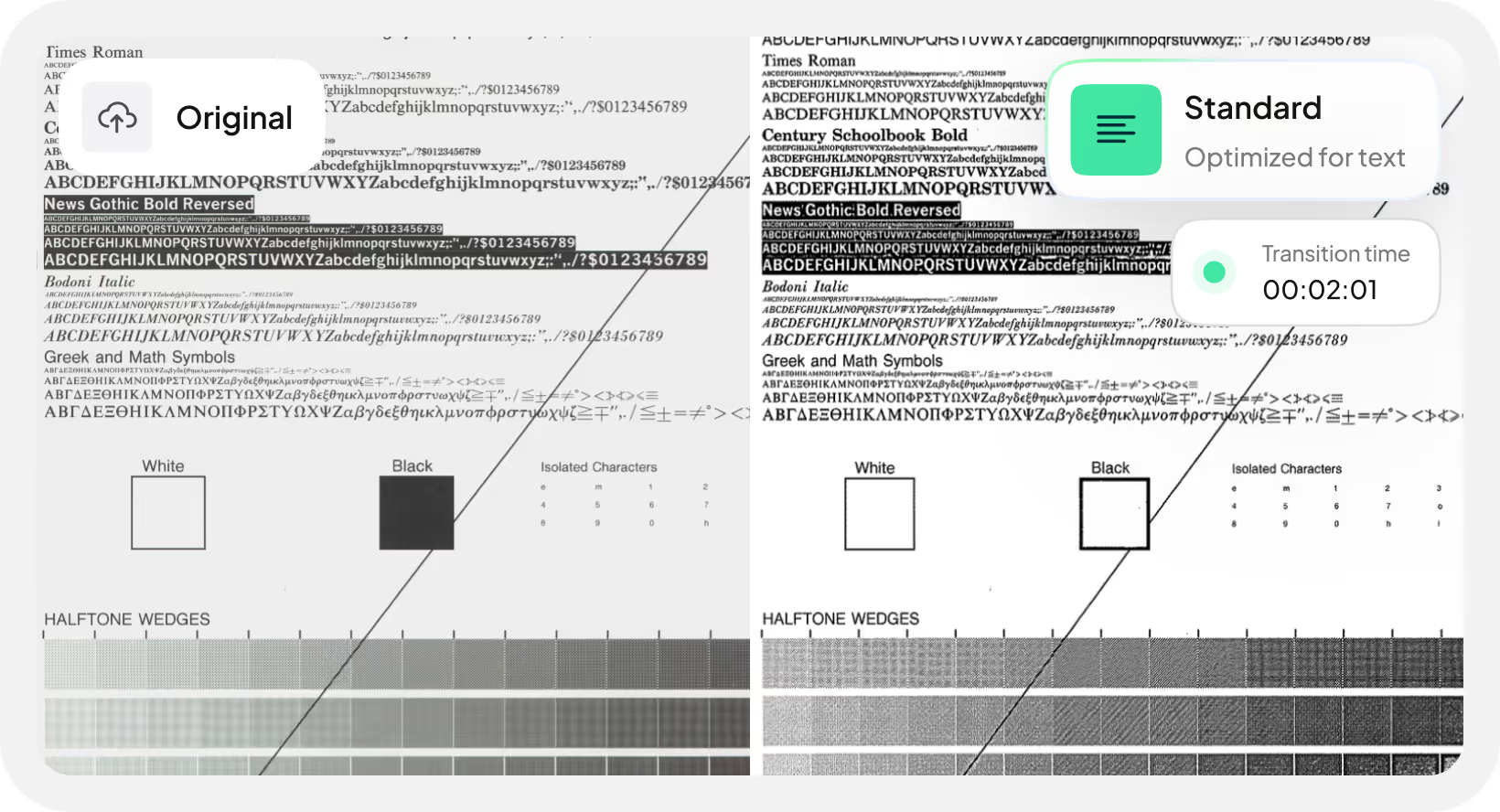
High Definition Mode
With High Definition enabled, Fax.Plus sends your documents with significantly sharper text and clearer visuals, making important information easier to read and more professional for recipients.
That is why HD mode is perfect for documents with images, charts, IDs, detailed scans, or fine print:
- Medical charts, lab reports, and detailed forms
- Contracts with signatures, stamps, or embedded images
- Scanned IDs, licenses, or certificates
- Documents containing diagrams, photos, or fine print
- Any file where accuracy and visual clarity matter
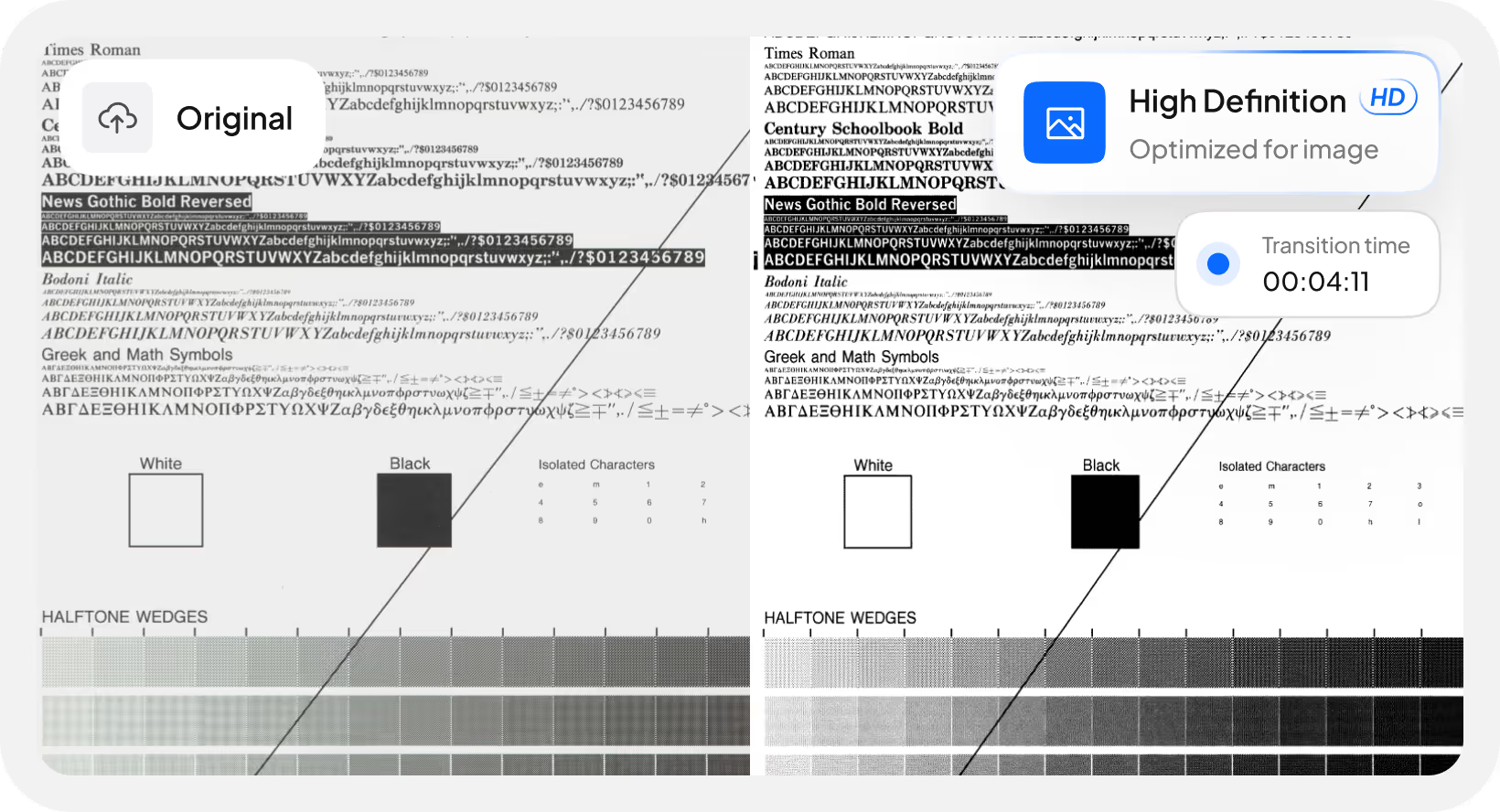
Available on paid plans, HD Faxing helps ensure your outbound documents look as crisp as they were intended.
How it works
1. When sending a fax, select your Transmission Optimization mode: Standard for improved text clarity or High Definition for superior sharpness.
2. Check "Remember selection" to save your preference as the default for future faxes.
3. Your document is optimized accordingly and delivered with the right balance of quality and speed for your content type.
Auto Resume for Partially Sent Faxes
Fax calls can drop, it's part of how the technology works. Previously, if a fax cut off mid-way, you had to resend the entire document from the first page. Not anymore.
With Auto Resume, Fax.Plus automatically continues sending from the last successfully delivered page if a fax stops mid-transmission. This means:
- Higher success rates
- No duplicated pages
- No wasted credits
- No manual work to restart long faxes
Auto Resume is available on all plans, including Free, and is completely unique to Fax.Plus.
How to Enable Auto Resume
Turning on Auto Resume ensures your long or multi-page faxes continue from exactly where they left off, reducing transmission time, eliminating resends and preventing duplicate pages.
1. Go to the Send Fax page
Open the Send Fax tab from your main Fax.Plus dashboard.
2. Open the Settings menu
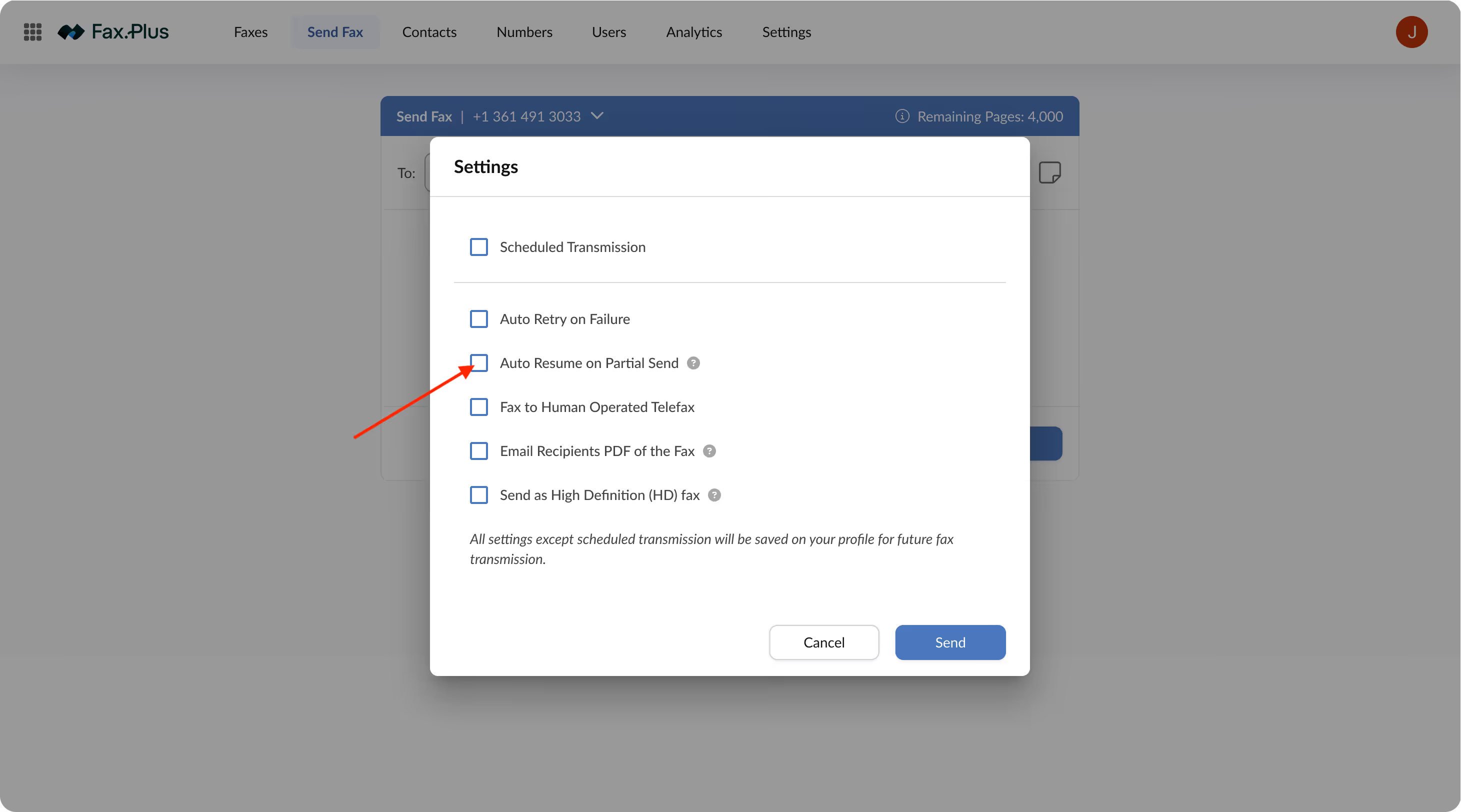
Click the gear icon labeled Settings at the bottom-right corner of the Send Fax screen to open your transmission options.

3. Find the “Auto Resume on Partial Send” option
In the settings pop-up, locate the checkbox titled Auto Resume on Partial Send (listed just below “Auto Retry on Failure”).
4. Enable the feature
Check the box to activate Auto Resume.
5. Save your preference
Click Send to apply your selection.
Your choice is saved to your profile automatically and will be used for future fax transmissions.
Additional Enhancements Working Behind the Scenes
While HD Faxing and Auto Resume are the main upgrades, users will also benefit from several improvements that make day-to-day faxing smoother, faster, and more efficient, including:
- Better international fax deliverability
- Higher capacity for high-volume sending
- Smaller incoming fax files for easier storage
- Improved search and filtering options
Who Benefits the Most?
Legal & Professional Services
Send contracts and filings with clearer details and avoid time-consuming retransmissions.
Healthcare Offices
Transmit forms, scans, and medical documents with improved clarity and reliability.
Operations & Logistics
Keep high-volume workflows moving without interruptions from dropped connections.
International Organizations
Enjoy stronger deliverability when faxing across borders.
Featured Articles
See All



Get Started Now


Confédération Suisse
Confederazione Svizzera
Confederaziun Svizra
Swiss Confederation
Innosuisse - Swiss Innovation Agency